

September 2, 2026
|
Product Updates
TrackBoss is a coaching platform built exclusively for track and field — combining video capture, results, and athlete management in one system designed for the way track programs actually work.
2.4.0 is our most coach-driven release yet. Everything in this update came from feedback we heard directly from coaches using the platform. Here's a full breakdown of what's new and how it fits your workflow.
New to TrackBoss? See how it works →
Recording no longer starts with paperwork.
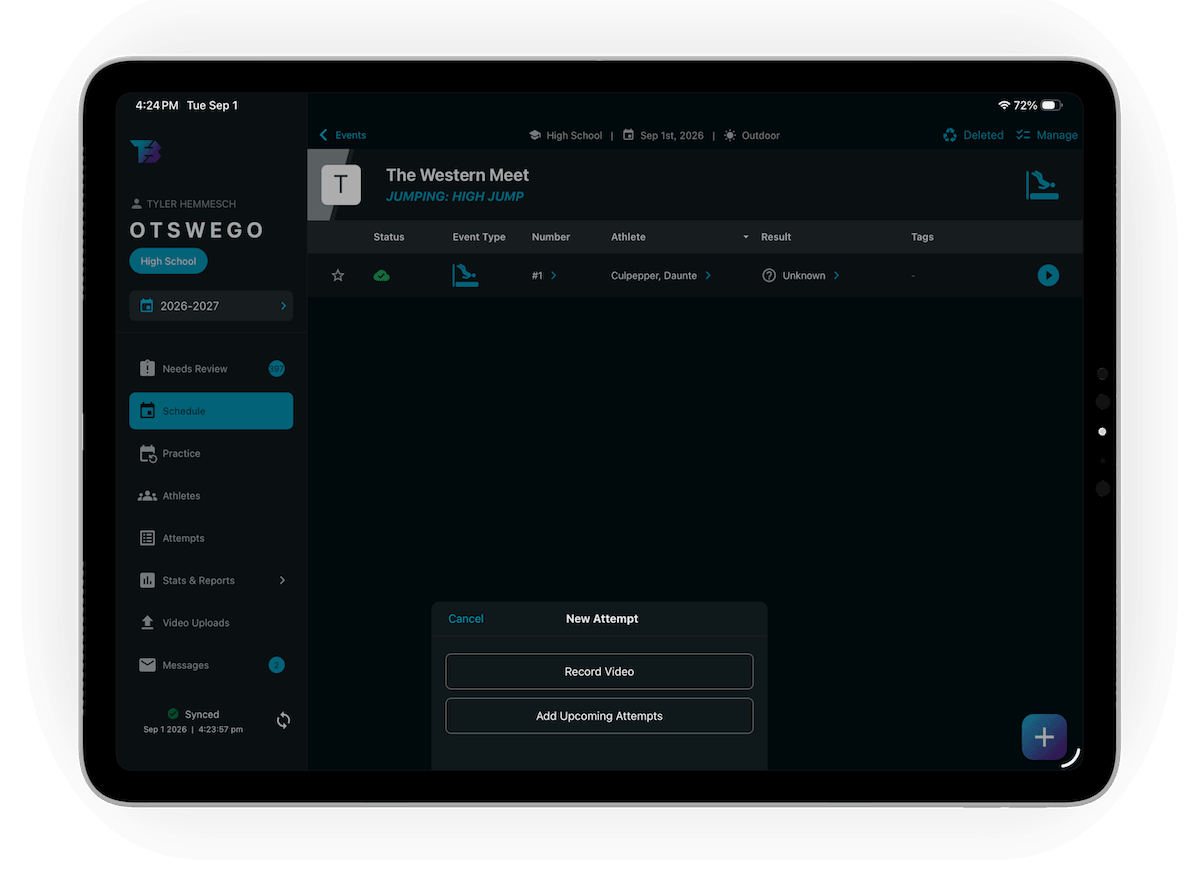
Tap record and go. You no longer have to assign a meet before capturing an attempt — the video saves immediately, and you sort the details when you have time.
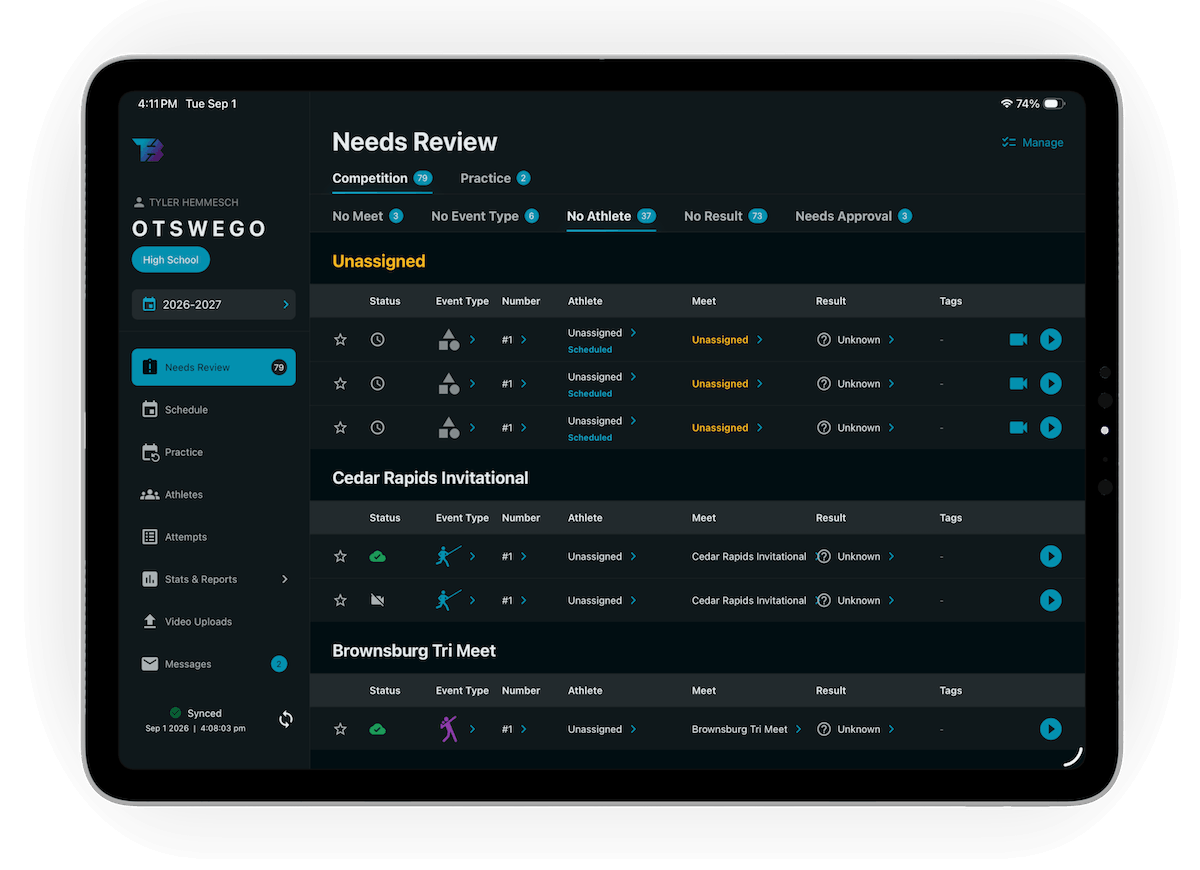
Anything that arrives incomplete lands in the new Needs Review queue: a single screen for attempts missing a meet, an athlete, or a result. The queue separates Competition from Practice and breaks each into No Meet, No Athlete, and No Result tabs so you can see exactly what kind of gap you're filling. Tab counts show you how much is left. Approve an attempt straight from the queue once it has what it needs, and the app syncs right away so the rest of your staff sees it.
This matters most at meets, where the pace of competition has always made clean real-time data entry difficult. Quick Record removes that friction at the moment it's hardest and gives you a structured way to clean things up afterward.
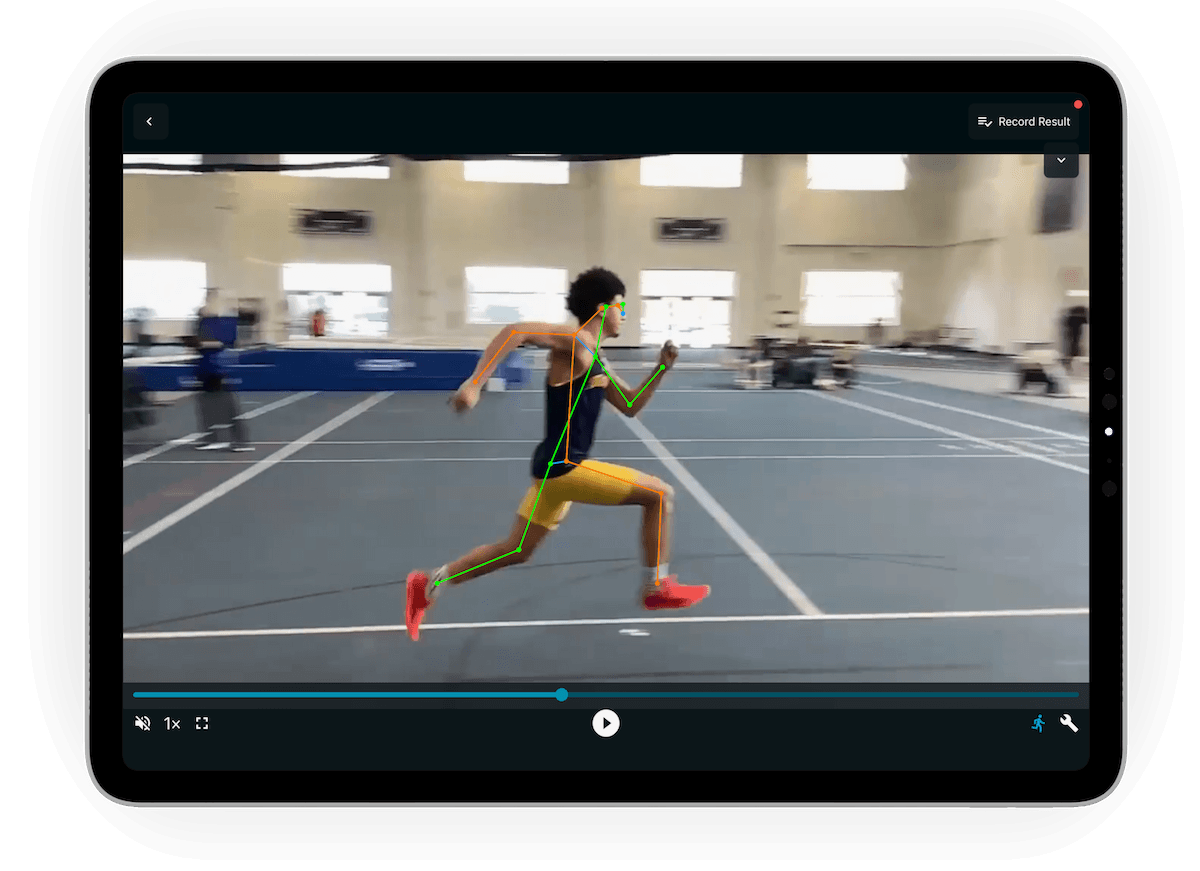
Once an attempt's video finishes uploading, TrackBoss automatically extracts a pose skeleton from it. No button to press, nothing to queue. Turn the overlay on or off from the player bar while you watch — the app remembers your preference for next time.
Skeletal tracking gives you an objective visual reference on every attempt: joint angles, body position, movement patterns. What used to require specialized software now happens automatically on every clip in your library.
Coach Voice Over, introduced in 2.2.0, now supports multiple takes per attempt. Each take is its own track with its own pause timeline — a pause you take while talking is played back exactly the same way, and the video waits for you. Switch between takes from the chip on the player while the video is running.
This opens up a few practical use cases: leave one set of notes for the athlete and a separate set for your staff. Re-record a take without losing the original. Build layered feedback on the same clip over time without starting over.
When you grant an athlete recording permission, they now get the same recording flow you use — not a stripped-down version. They can assign teammates to an attempt they recorded and enter results. Their work still routes to you for approval before anything reaches your official records.
Athlete recording is optional and off by default. Enable it in settings for your entire team or for specific individuals.
For programs that want athletes more actively involved in their own documentation, this makes that possible without sacrificing coach oversight.
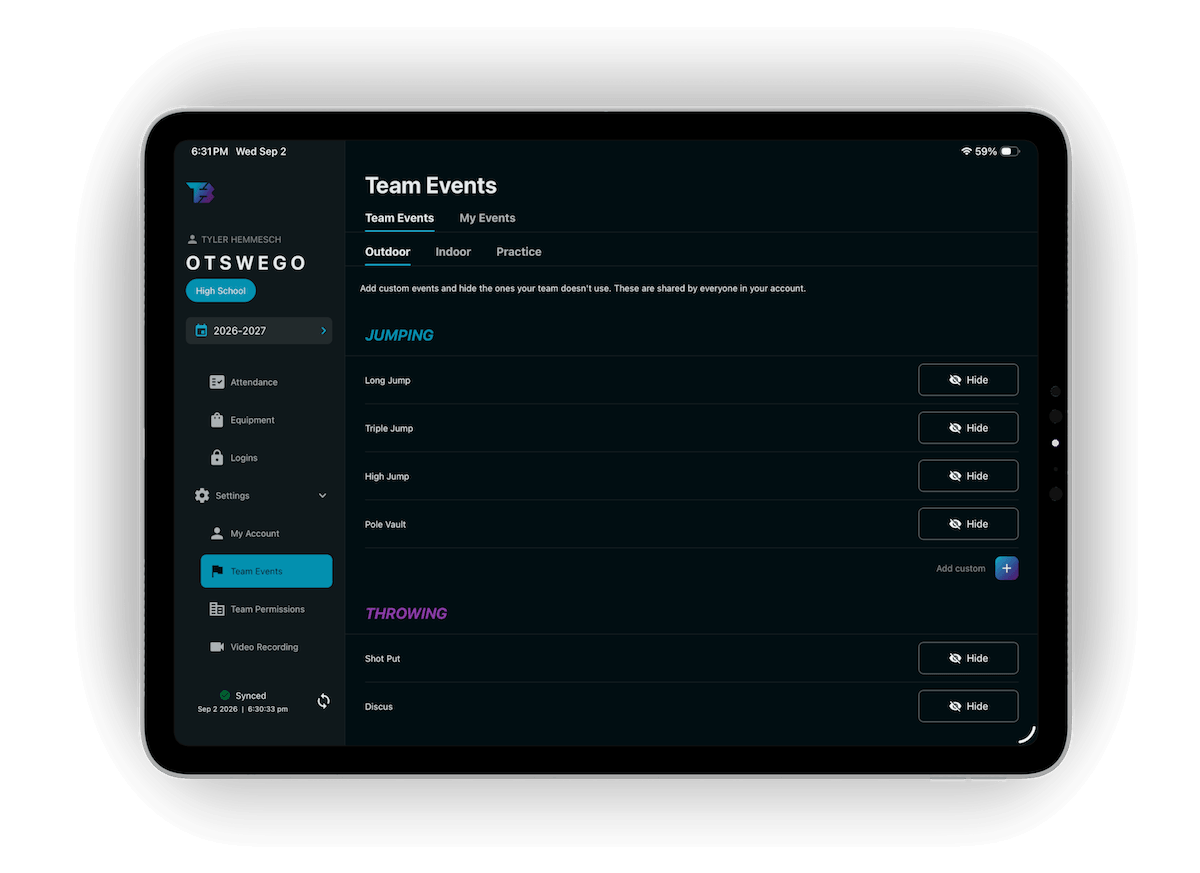
Each coach can now set their own event group order and hide events they don't coach. That order is no longer cosmetic — it drives your lists, your past results, and what your athletes see when they open the app. Set it once and the whole app follows it.
Coaching a track program isn't only coaching. It's who showed up, who still has a uniform, and who knows practice moved to 3:30. Most of that has always lived in group texts, spreadsheets, and memory.
2.4.0 adds a Team Management section to the coach sidebar that pulls the administrative side of the job into four screens.
Calendar. A team calendar for practices, meetings, video review, weight training, travel — anything on your schedule. Set an event to repeat and the calendar handles the recurrence. Your meets appear automatically on the same month view, so the schedule and the calendar never disagree. Athletes see the calendar read-only, and the day's events show up on their home screen.
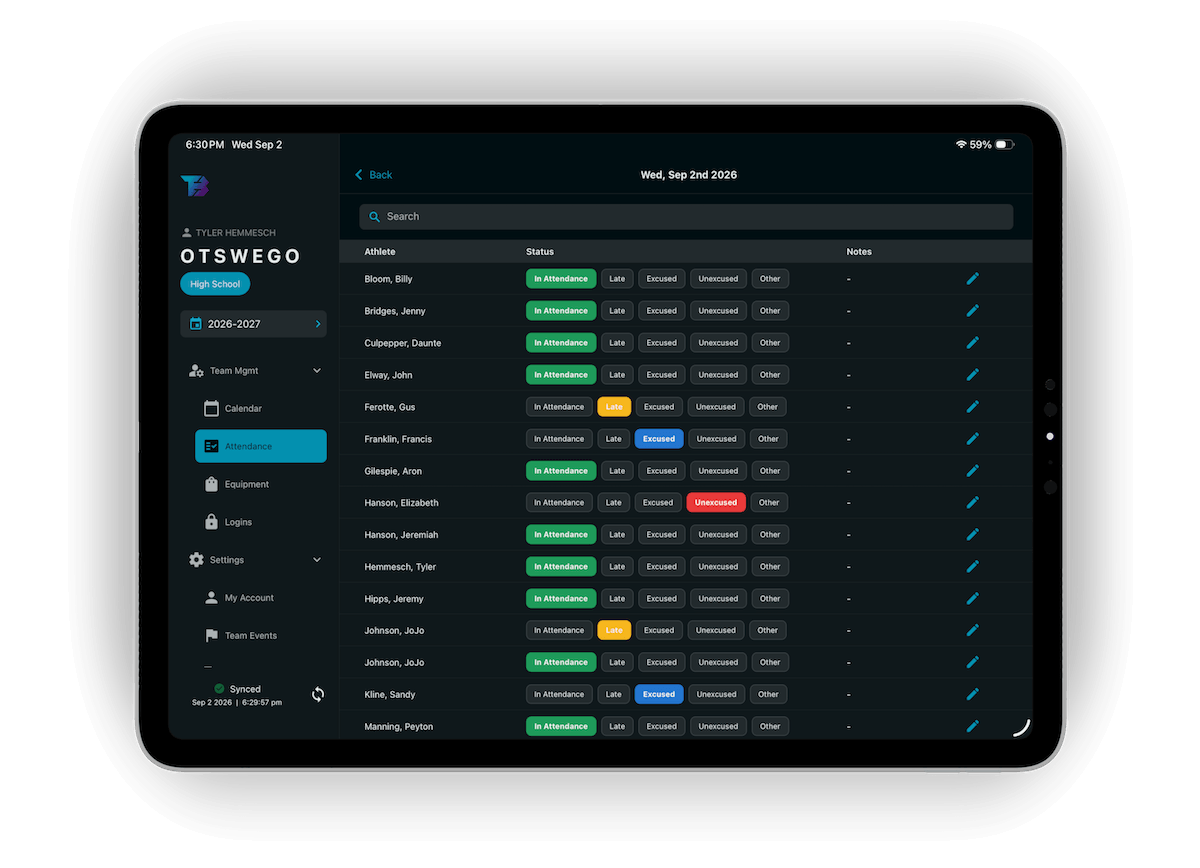
Attendance. Mark each athlete present, late, excused, unexcused, or other for any date, with an optional note. Attendance is team-visible, so your whole staff works from the same record, and an Attendance report exports it when you need it.
Equipment. Keep a catalog of the gear your program hands out and log who has what. Each assignment tracks whether an item is handed out, returned, lost, or destroyed. Filter the roster by equipment type and status, and pull an Equipment report at the end of the season.
Messages. Broadcast an announcement to the whole team. Athletes get an unread badge that clears once they open it, and you get a "Seen by" list so you know who actually read it. Head and assistant coaches can both send.
All four sync with the rest of the app and work offline.
Behind the headline features, 2.4.0 carries more than 200 fixes and refinements across recording, video editing, school and personal records, the schedule, the roster, uploads, and sync — plus a significant layout pass on iPad and Android.
Quick Record and the Needs Review queue address something coaches told us directly: meet day is too fast for perfect data entry, and the workarounds were getting in the way of capturing good video. This release takes that friction off the field and puts it somewhere it can be handled on your schedule.
Skeletal tracking and Multi-Track Voiceovers continue building out the film review system that 2.2.0 started — more structure, more precision, and more of your coaching embedded directly in the video.



